Video Editing & Motion Graphics Course in Kolkata
learn Professional Video Editing from IMAGIC, Get 100% Job Placement
- Overview
- Syllabus
- Review
Video Editing & Motion Graphics Course Overview
VIDEO EDITING & MOTION GRAPHICS COURSE IN SHRIRAMPUR is offered by IMAGIC. This 6 months Professional Video Editing course is 100% Job Guaranteed .
First time in West Bengal, Only at IMAGIC, You can get
- Complete Professional Video Editing Course (Photoshop CC, Premiere CC, and After Effects CC)
- NSOU (Netaji Subhas Open University) 1 Yr. Diploma.
- Adobe Authorized Training Partner.
We have many popular Video Editing Courses in our Institute. We are now offering a six-month, three software-based Video Editing & Motion Graphics course for digital creators.
Not only for creators, if you want to establish yourself as a wedding video editor, YouTuber, news video editor for TV channels, ad maker, documentary video editor, or any other type of video editor in Kolkata, this course training is the perfect combination for you.
In this course, you will learn about graphics methods, voice recording and editing steps, and most importantly, video editing from basic to advanced levels.
Video Editing & Motion Graphics Course in Shrirampur is a very job demanding course . Anyone can start their career in just 6 months of time.
To become a proper video editor you can learn Video Editing & Motion Graphics Course in Shrirampur from IMAGIC.
Click here for Video Editing job ideas.
Classes 3 Days in a Week (Weekdays & Weekend Classes Available),
Offline / Online both mode Available.
What are the best video editing courses?
If you are looking for best video editing course in Shrirampur then you are at right place. IMAGIC is providing video editing training in Kolkata since 2010 and now we are available at Shrirampur too. We have 1 month to 12 months course. Also we have one year Diploma in Video Editing & VFX under Netaji Subhas Open University.
What should I learn to become an editor?
There are now so many software or applications available for video editing but no one can tell you how you made a proper audio-visual video with Thumbnail. Here you will learn Photoshop CC, Premiere CC, and After Effects CC for all those tasks related to editing.
What is the fees for Video Editing & Motion Graphics Course in Shrirampur ?
This 6 Months IMAGIC Professional Video Editing course fee is ₹54,000/- plus GST, Payable in 6 monthly installments. Students can pay fees online through Net Banking, Google pay, Phone pay etc.
What Skills are most important for editors?
A person must be proficient in the concepts of storytelling, research, grammar and vocabulary. Aside from that, you must be detail-oriented, imaginative and an excellent communicator.
Video Editor salary in Kolkata , click here
Interested in movie editing click here
Having Questions about Editing related Courses? Join our FREE Demo Class
Call/ What’s-app – 8282895353
Hear the secret of how to get a JOB after doing short term Video Editing Course from North 24 Pargana’s PRAJNYA…
What Will You Learn In Professional Video Editing Course?
- You will learn Professional Graphics, Audio & Video Software
- You will learn to make practical project
- 1:1 teacher-student doubt clearing session
- Flexible Online and Offline class timing
Professional Video Editing Course Syllabus
Professional Video Editing course is a perfect bunch of software's for aspiring Digital Creators. First you'll start from Photoshop for creative graphics. Then you will learn Premiere Basic for basic Video Editing. Just after Premiere Basic video Editing you will learn audio editing from Audition. Last part you will learn Premiere Advance for enhancing your editing level up.
Graphics is one of the creative fields that relate to every industry. Here, you will learn to create proper graphics that help the editing industry from all aspects. From making a YouTube thumbnail to blending video backgrounds, news jackets, name plates, creative lower thirds, movie end credits and PNG images, you can do it all in Photoshop. In this module you will learn image editing, image selection, Typography, image retouching for creating a good quality video for audience.
Video Editing is an important part start your journey in Editing Career. First you will learn project setup in Adobe Premiere CC .Then you'll learn how to import video footage, graphics, audio clips, music, voice over into project and then after rough cut into tittle. After video footage arrangement in timeline second most important part is audio. We need to balance audio of video footage or add some music, sound effect, voice over as per the need of the video editing. After arranging video and audio we need to put some text titles in video as per the need. Then we will learn how to export video from Premiere Pro.We have already learned basic video editing. Now we will use some advance features of Premier Pro to make our editing more attractive. Transition and Effects are very important part of video editing. When jump from one video shot to another we use transition. Use of different transition in different footage need lots of concept & knowledge. Some times also we need to change or adjust color of footage so we use Effects in video editing. We have already learned Titling in Video Editing. Now we will learn advance titling like rolling, scrolling etc. Importing animated titling into video editing. We have heard of VFX ( Visual Effects) seen mostly in Film and movies. Chroma is a important part of VFX. During video shooting Green or Blue screen is used in background. Then we remove this color in video editing. For this we need to understand and learn Chroma Key removal in Premiere Pro.
This course provides a comprehensive guide to Adobe After Effects, beginning with Interface Navigation and Composition Setup. The core focus is on Keyframe Animation—learning to control and finesse motion using the Timeline and Graph Editor.
Students progress to Motion Graphics, mastering dynamic text, shapes, and logo reveals, and then to Compositing and Visual Effects. This includes essential techniques like Masking, Track Mattes, Green Screen Keying, and Motion/Camera Tracking to integrate graphics into live-action footage. The syllabus concludes with an introduction to 3D Space (Cameras and Lights) and professional Rendering/Export workflows.
In short, you learn to transform still images and video into dynamic, professional motion graphics and complex visual effects.
- Price 54,000
- Start On
- Duration 6 months
- Eligibility 10+2
- Branch Chandni Chowk
- Seat available 3








Apply for FREE Demo Class learn Job oriented Professional Video Editing courses from IMAGIC Get 100% Job Placement

Related Courses You may Like learn all job oriented multimedia courses from IMAGIC Get 100% Job Placement


Students Testimonial learn all Job oriented multimedia courses from IMAGIC, Get 100% Job Placement
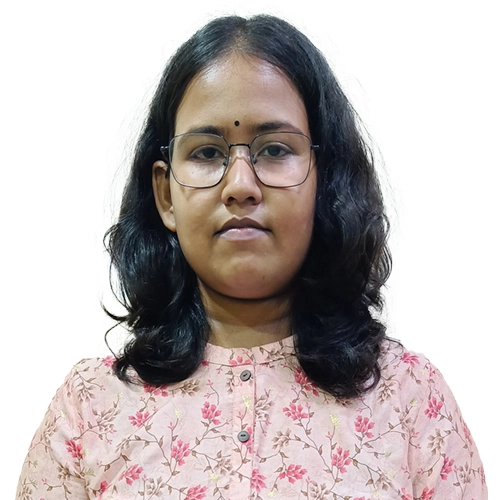

Prajnya of North 24 Parganas , got JOB by learning a Short Term Video Editing Course From IMAGIC.
Prajnya Mukhopadhyay
Video Editor | Small Planet
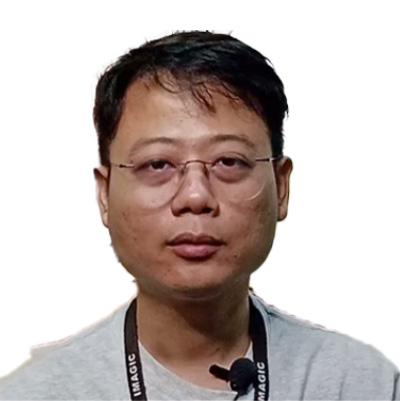
Rahul Dewan from Siliguri, Imagic Video editing Student. He share his learning experience.
Rahul Dewan
Video Editor | Freelancer
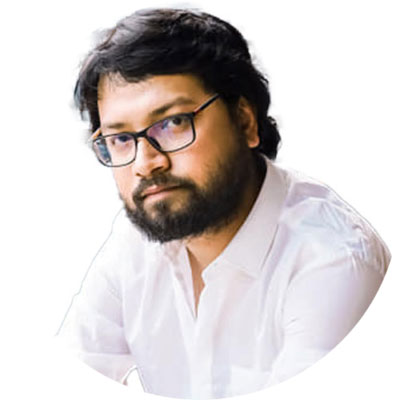
How Saptarshi Sinha got his first Job in Video Editing
Saptarshi
Video Editor|Kolkata

How Subhadeep Mahapatra got his Job in IIT Kharagpur as a Video Editor
Subhadeep
FCP Video Editor| IIT Kharagpur